
AI model
Choose the model, the context size, and focus mode for the chat
AI model, in the Chat menu, sets which model answers, how much conversation it can see, and whether it stays on topic. Only owners and admins can change these settings; everyone else can view them.
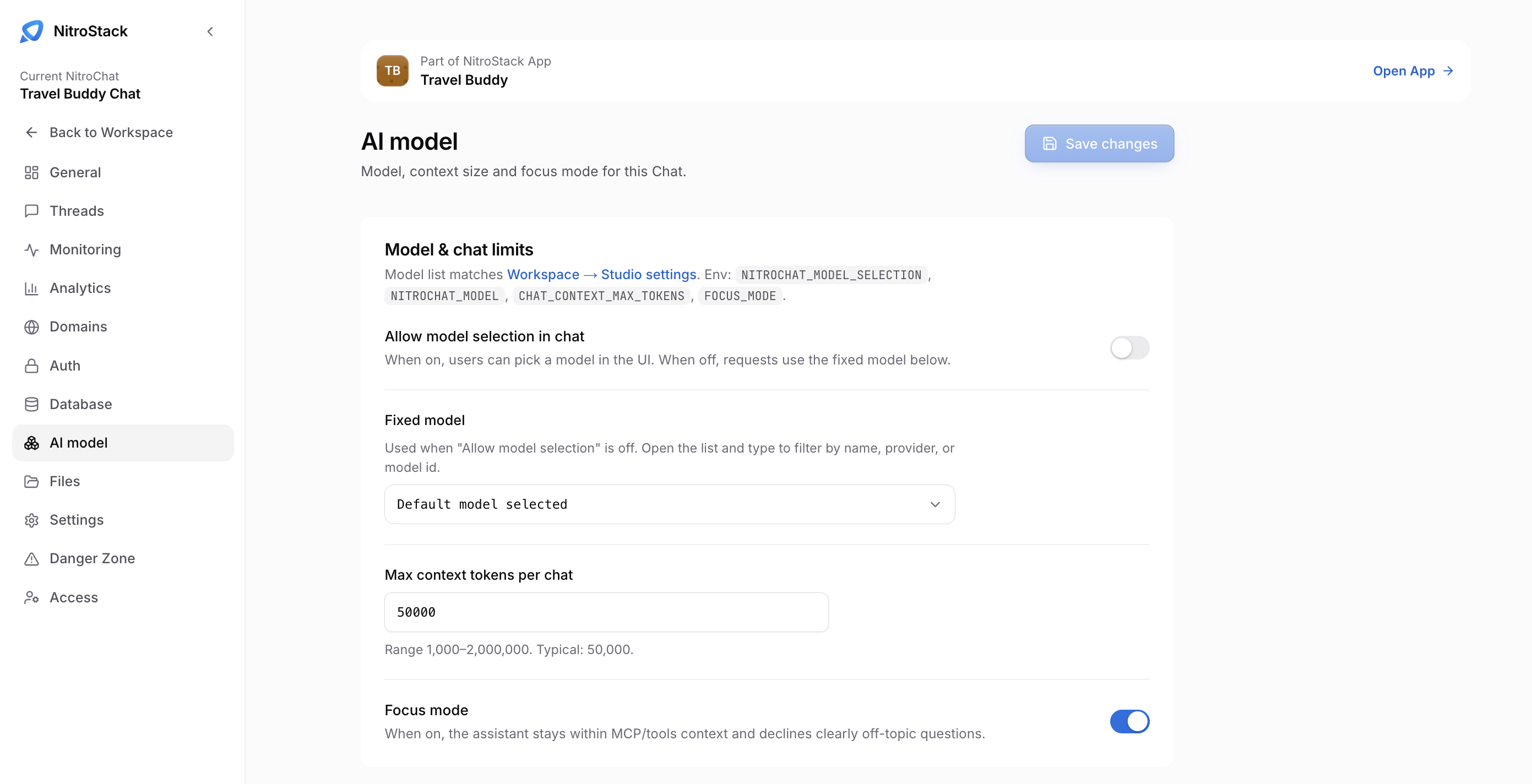
The list of models is the pool set for your organization in Studio management, under Workspace → Studio settings. If a model is missing here, it isn't enabled for the organization.
The settings
Each setting maps to a variable in the chat's environment, shown at the top of the card. Set them on this page; they don't go in the MCP server's environment variables.
| Setting | Variable | What it does |
|---|---|---|
| Allow model selection in chat | NITROCHAT_MODEL_SELECTION | When on, people pick a model in the chat. When off, every request uses the fixed model. |
| Fixed model | NITROCHAT_MODEL | The model used when selection is off, and the default when it's on. Open the list and type to filter by name, provider, or model ID. |
| Max context tokens per chat | CHAT_CONTEXT_MAX_TOKENS | How much conversation history is sent with each request. The range is 1,000 to 2,000,000, and 50,000 is typical. A value outside the range is adjusted to the nearest limit when you leave the field. |
| Focus mode | FOCUS_MODE | When on, the assistant stays on your server's tools and resources, and declines questions that are clearly out of scope. When off, it can answer more generally and still call tools. |
Save changes becomes available once you've changed something. Click it to apply.
Choosing settings
A fixed model gives every visitor the same behavior and cost, which suits a chat embedded in a product. Allow selection when the chat is for your own team and people want to compare models.
A larger context lets long conversations keep their earlier turns, but every request then sends more tokens, which costs more and takes longer. The Threads analytics break results down by model, so you can see the effect.
Keep Focus mode on for a public chat, so it answers questions about your product and not everything else.