
API keys
Create keys that sign NitroStudio in to your organization
API keys connect the NitroStudio desktop app to your NitroCloud organization. Studio uses a key to get short-lived tokens for API access. Open API Keys in the sidebar to manage them.
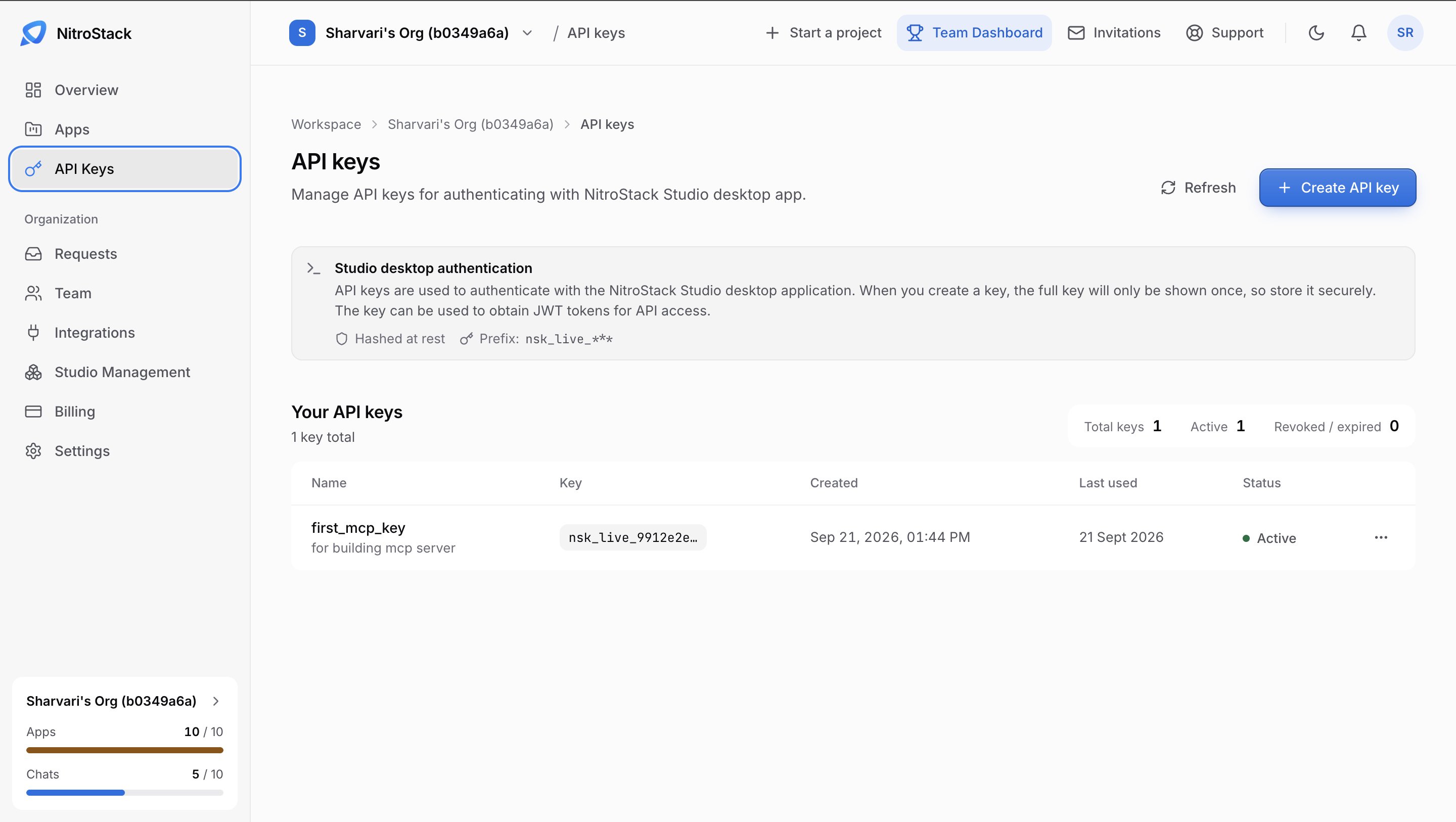
Create a key
Open the form
Click Create API key.
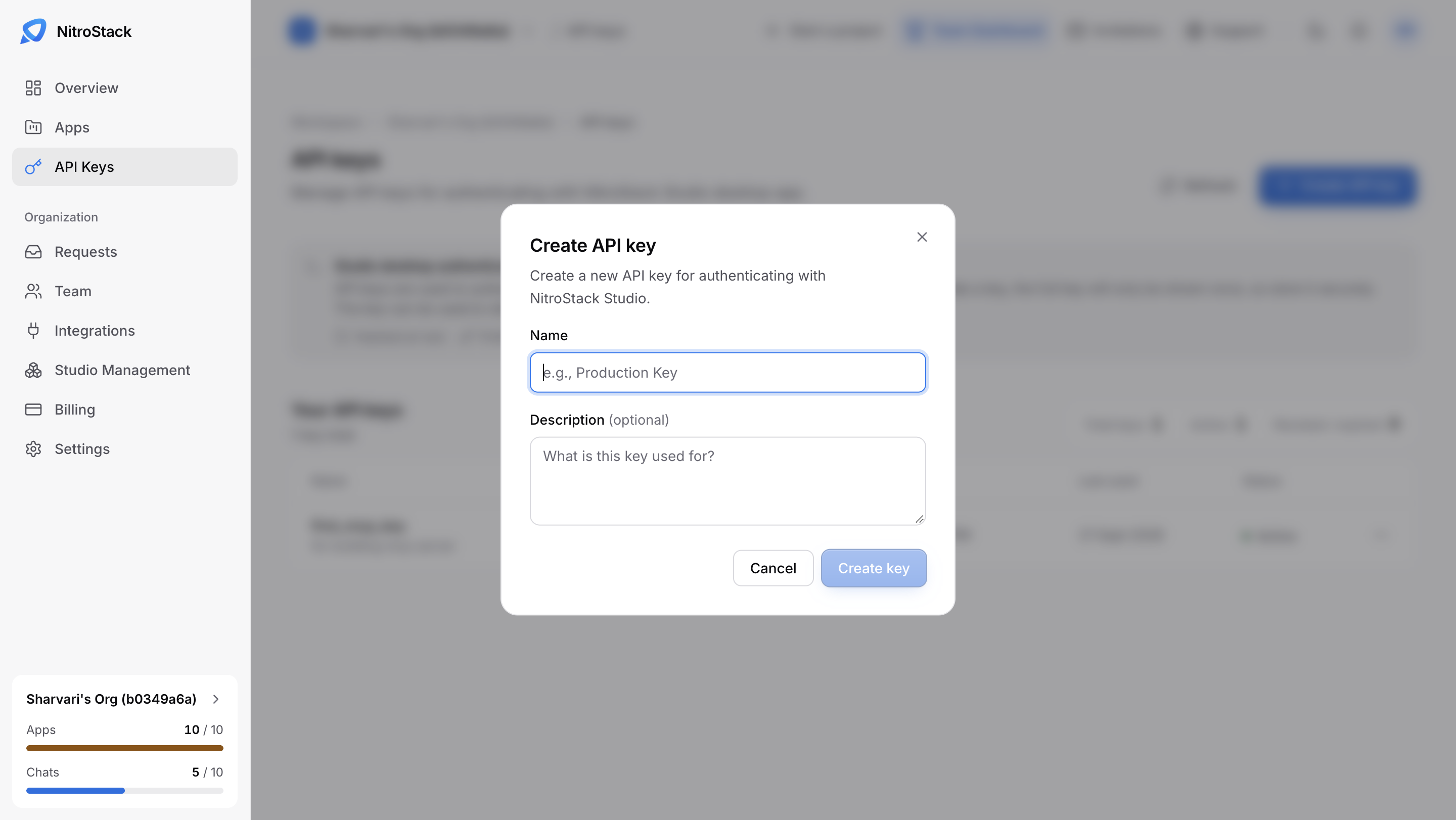
Name it
Enter a Name that says where the key is used, such as Production key. Add a Description if it helps, then click Create key.
Copy and save it
NitroCloud shows the full key once. Copy it and store it somewhere safe, such as a password manager. After you close the dialog, you can't see it again; if you lose it, create a new key.
The key is shown only once
NitroCloud stores only a hash of each key, so it can't show you the key again. Keys start with nsk_live_.
Manage keys
Your API keys lists every key with its name, the first characters of the key, when it was created and last used, and its status. The counters above the table show how many keys are active, and how many are revoked or expired. Open a key's menu (⋯) to manage it, and click Refresh to reload the list.
Revoke or delete a key
Open the key's menu (⋯) in Your API keys. It has two actions:
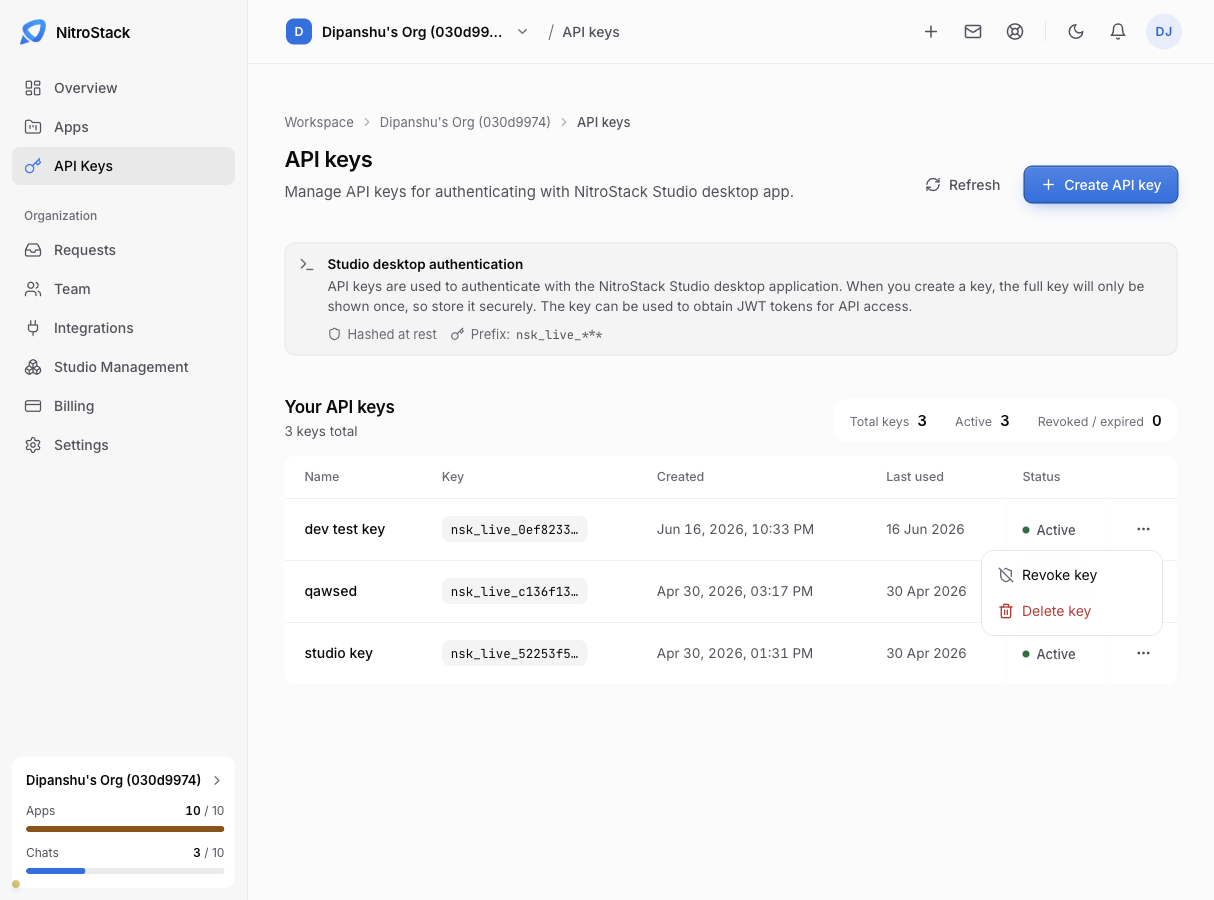
- Revoke key stops the key immediately, and it can't be turned back on. A NitroStudio app signed in with that key loses access the next time it refreshes its token.
- Delete key removes the key from the list. You can't undo it, and if the key was still active, deleting it also stops it.
Revoked and expired keys stay in the table, and count toward Revoked / expired in the counters. If you still need Studio access, create a new key: NitroCloud can't show an old key's secret again.
Where the key is used
Paste the key into NitroStudio when it asks you to sign in to an organization. That's its only use.
NitroCloud has three kinds of credential, and they aren't interchangeable:
| Credential | Where you get it | What it's for |
|---|---|---|
| API key (this page) | API Keys in the sidebar | Signing NitroStudio in to your organization. |
| Gateway API key | A chat's General page | The hosted chat's own calls to the platform. |
| API access token | Organization Settings | CI and other programs that call the NitroCloud API. |
Next steps
NitroStudio
The desktop app these keys sign in.
Studio management
Who can use Studio, and with which models.
Watch the video
Check out the video for a walkthrough of everything on this page.