
App billing
Each app's plan, usage, extra requests, and invoices
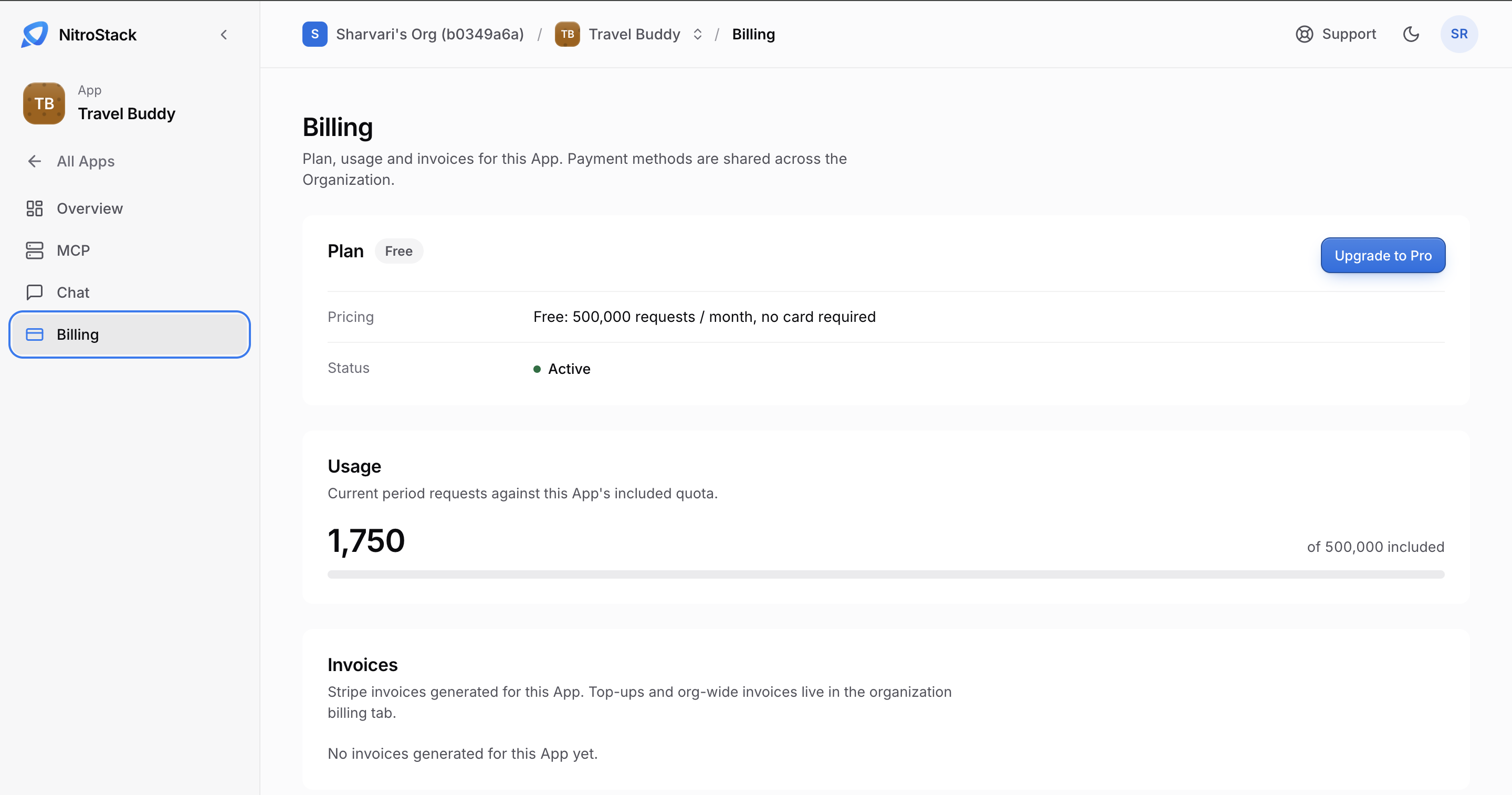
Each app has its own plan, so one organization can run a free prototype next to a paid production app. Open the app and click Billing.
Payment methods belong to the organization, not the app. Add a card on the organization's Billing page before you upgrade.
Plans
| Plan | Included | Price |
|---|---|---|
| Free | 500,000 requests a month. Requests above that are refused with HTTP 429. | No card needed. |
| Pro | 5,000,000 requests a month. | $30 a month, plus $0.05 per 10,000 requests beyond the included amount. |
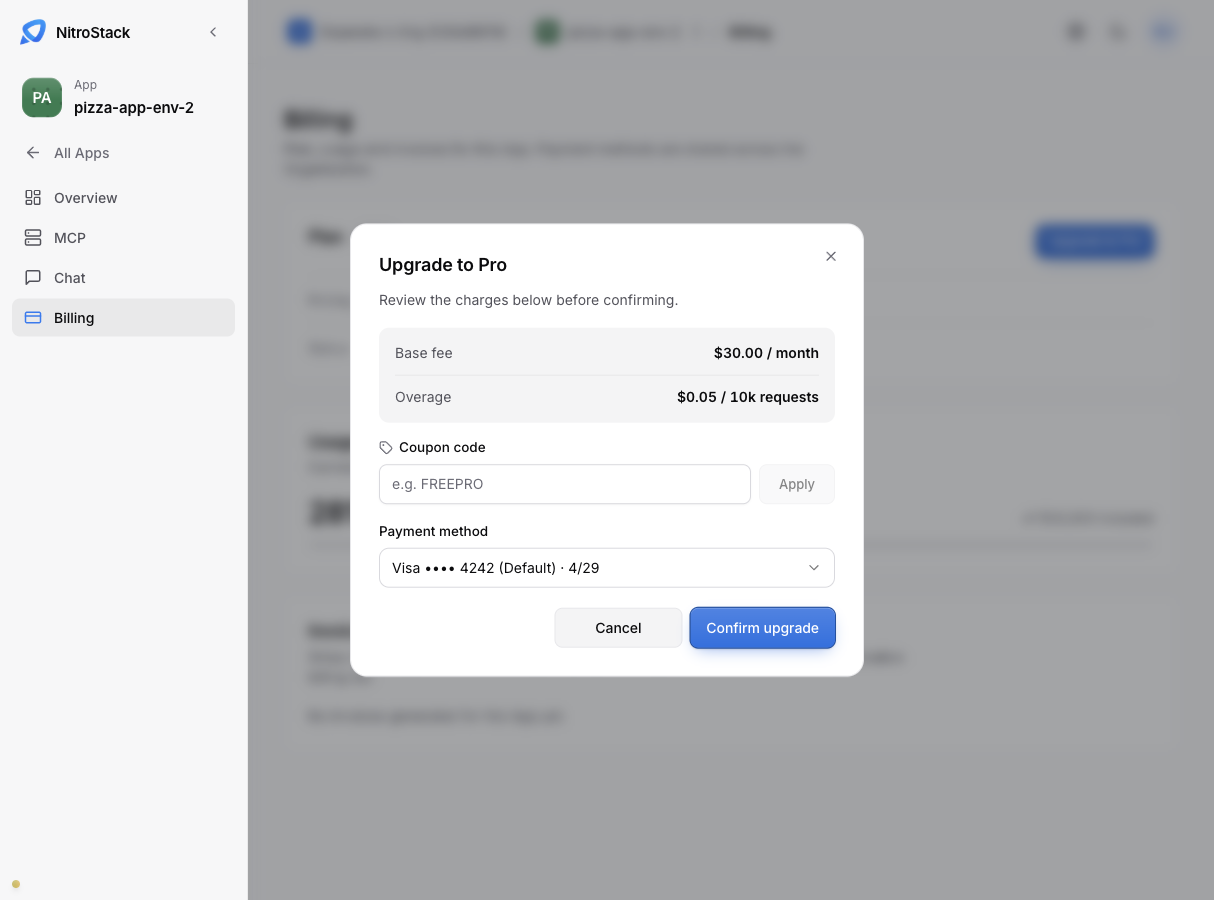
Upgrade to Pro
Click Upgrade to Pro and pick one of the organization's saved cards to pay with. The dialog shows the base fee and the overage rate, a field for a coupon code, and the payment method before you confirm.
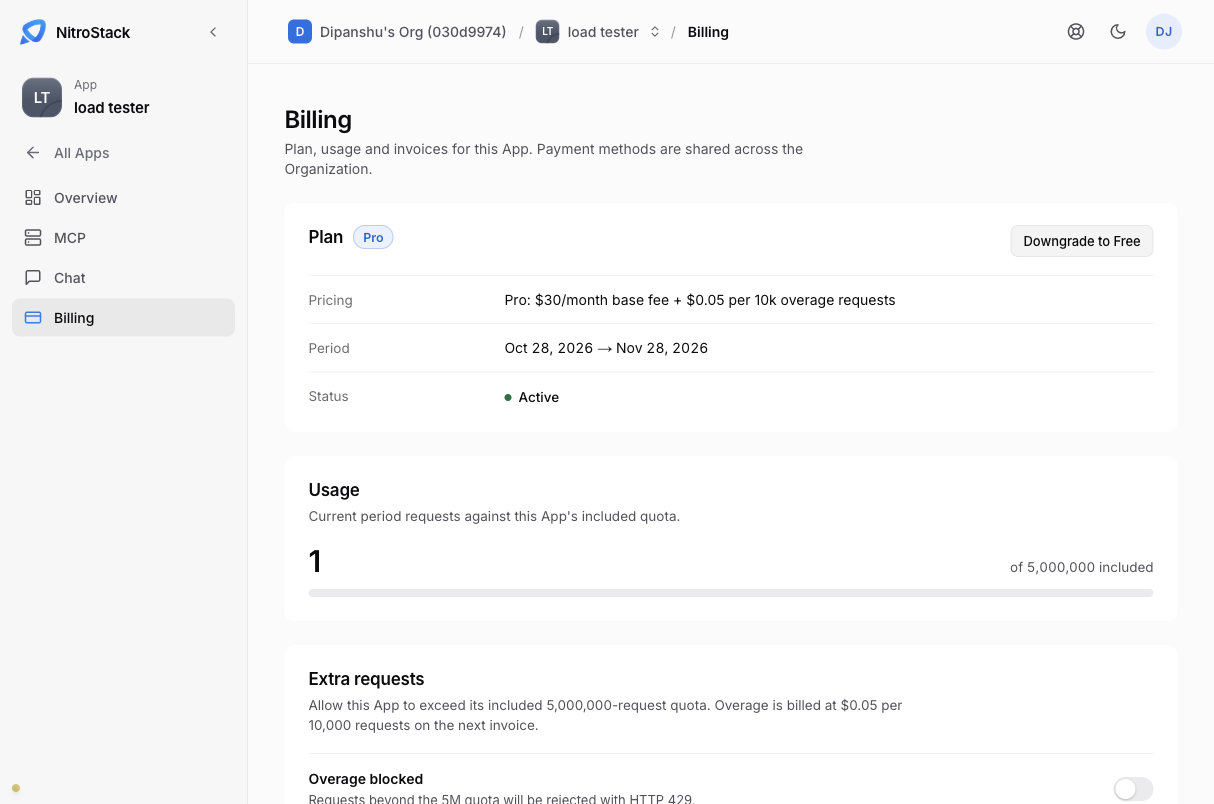
Downgrade to Free
Downgrade to Free doesn't take effect immediately. The app stays on Pro until the date shown on the page. On that date the included amount drops to 500,000 requests and extra requests turn off. Overage already used in the period is still billed on the final invoice.
Changed your mind before that date? Stay on Pro cancels the scheduled downgrade.
Usage
Usage shows the requests in the current period against the plan's included amount. On Pro, once you pass the included amount with extra requests turned on, the page also shows the overage count and an estimated charge for this cycle.
Extra requests
On Pro, Extra requests lets the app keep serving after its 5,000,000 included requests instead of refusing them. You set a cap on how many extra requests to allow, up to twice the included amount: 10,000,000 extra, for 15,000,000 in total. Each block of 10,000 extra requests costs $0.05.
Turn extra requests off, and requests above the included amount are refused with HTTP 429 again.
Invoices
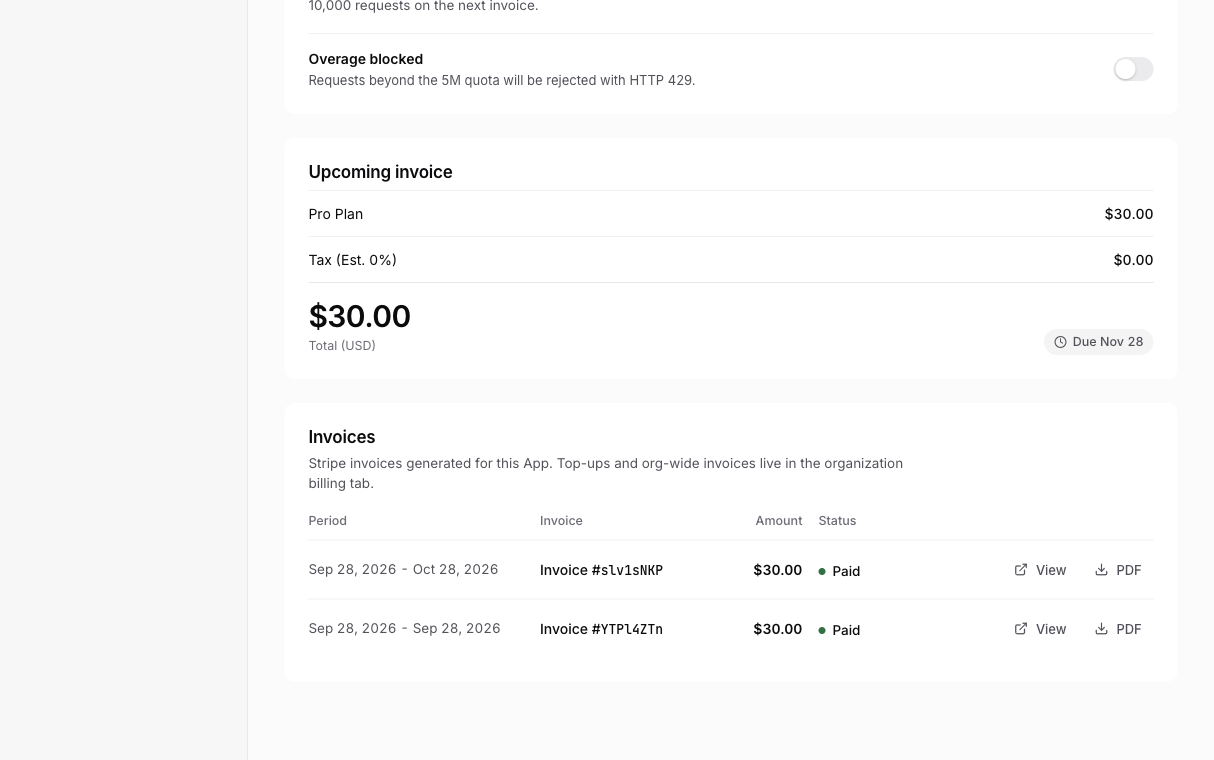
Invoices on this page are for this app only. On Pro, Upcoming invoice shows the next bill so far: the base fee plus any overage. Invoices for the whole organization, and for credit top-ups, are on the organization's Billing page.
When a payment fails
If a charge fails, the app's status changes to Past due. During the grace period, the app is limited to the Free plan's quota of 500,000 requests a month, and a banner shows how many days are left.
Retry payment charges a saved card again; add or update a card on Billing first if the old one is the problem. If the invoice is still unpaid when the grace period ends, the app moves to the Free plan, with extra requests off. Overage already used is still on the final invoice.