
Studio management
Control who can use NitroStudio, which models, and how much
Studio Management controls how your team uses AI in NitroStudio: who has access, which models they can use, and how much they can spend.
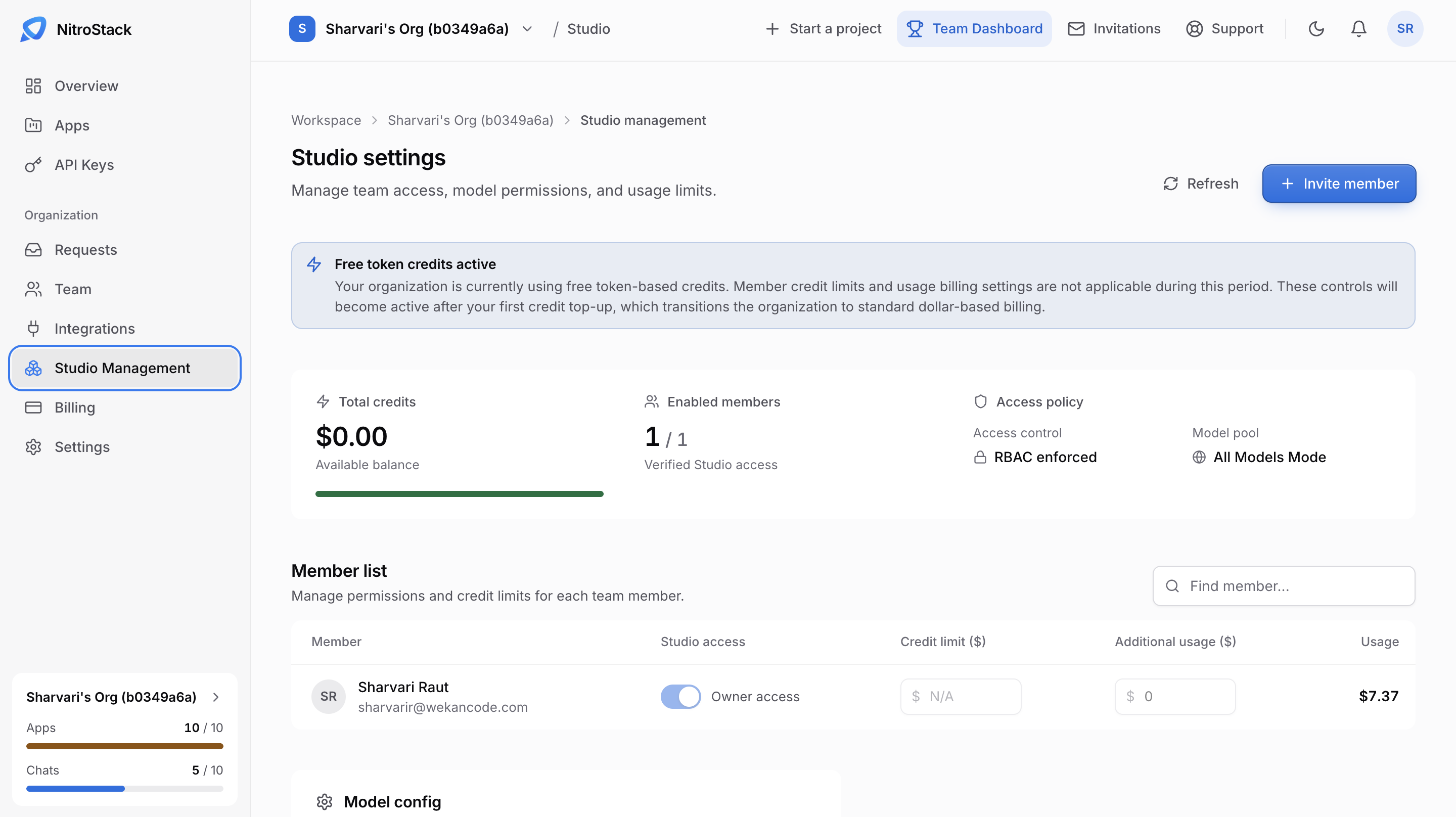
Summary
The cards at the top show your Total credits, as an available balance; Enabled members, the number of members with verified Studio access out of everyone in the organization; and your Access policy. The access policy shows how access is controlled, such as RBAC enforced, and the Model pool, such as All Models Mode.
Member list
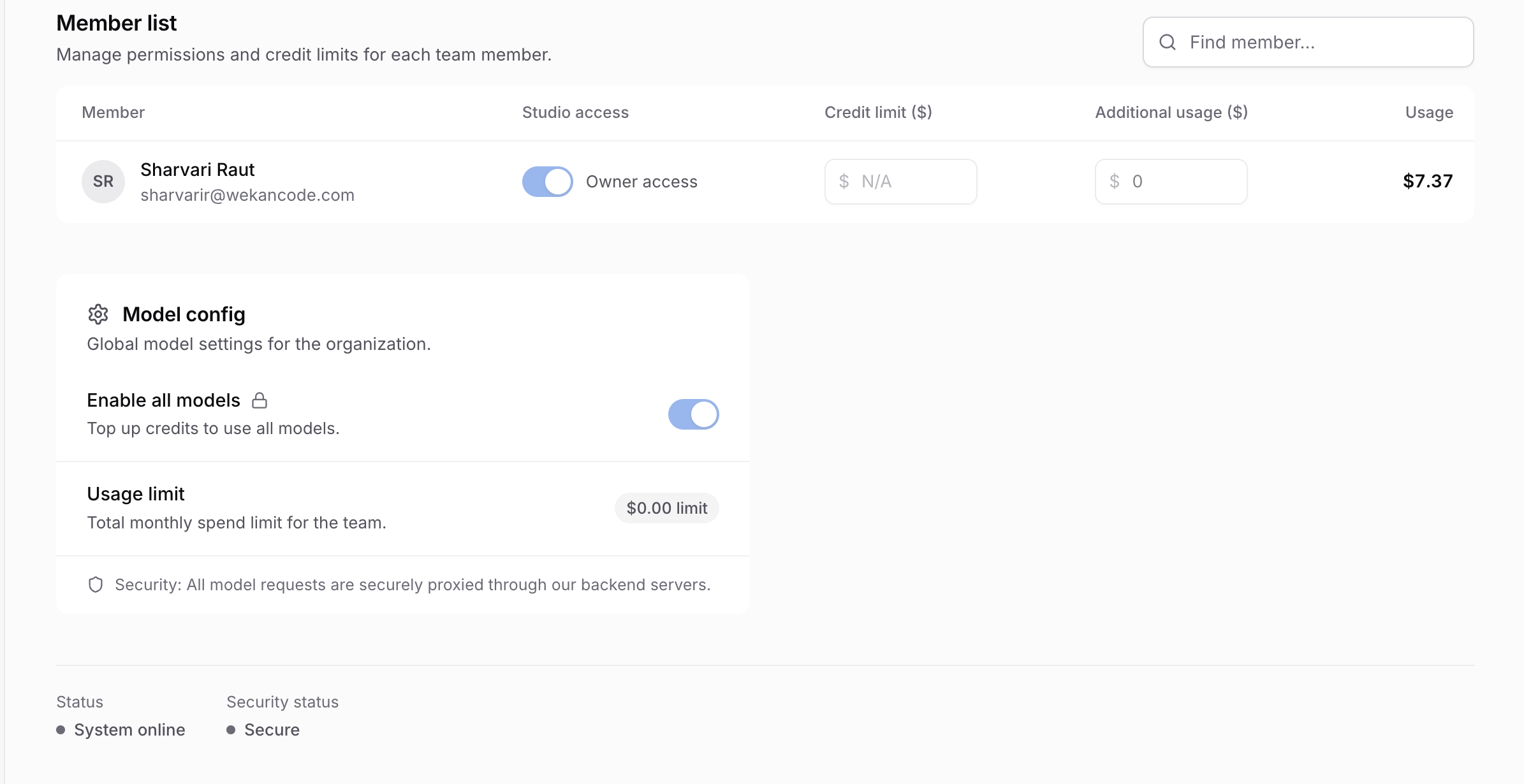
Member list sets permissions and credit limits for each person:
- Studio access turns Studio on or off for the member.
- Credit limit ($) caps what the member can spend.
- Additional usage ($) allows spending beyond that limit.
- Usage shows what they've spent.
Click Invite member to add someone, and use Find member to search.
Model config
Model config holds settings for the whole organization:
- Enable all models makes every model available. Top up credits to use it.
- Usage limit is the monthly spending ceiling for the whole organization, in dollars. It applies once the organization has left free token credits.
Model pool
The Model pool in the summary card shows which models your team can call:
| Mode | What members can call |
|---|---|
| Limited free models | The default: a fixed set of free models. |
| All paid models | Paid models, after a credit top-up. |
| All models | Every model. Requires a top-up; Enable all models turns it on. |
The same list is what a hosted chat can choose from on its AI model page.
While you are on free credits
A new organization starts on free token credits, and a note at the top of the page says so. During this period, each member's Credit limit and Additional usage are saved but not enforced.
Your first credit top-up, on Studio usage, moves the organization to dollar billing. From then on, a member whose spending reaches their credit limit is blocked unless Additional usage allows more, and the organization's Usage limit still caps the whole team.
Service status
All model requests go through a NitroStack proxy that sits in front of the model providers. Status and Security status, at the bottom of the page, show the state of that proxy. If the status isn't online, Studio's model calls fail even when a member has credits left.