
Domains
Serve your MCP server from a hostname you own
By default, your MCP server is served from a nitrocloud.ai address. Domains, in the MCP menu, lets you serve it from a hostname you own, such as mcp.example.com. NitroCloud verifies the hostname and issues its HTTPS certificate for you.
The chat has its own Domains page. Adding a domain here doesn't change the chat's URL.
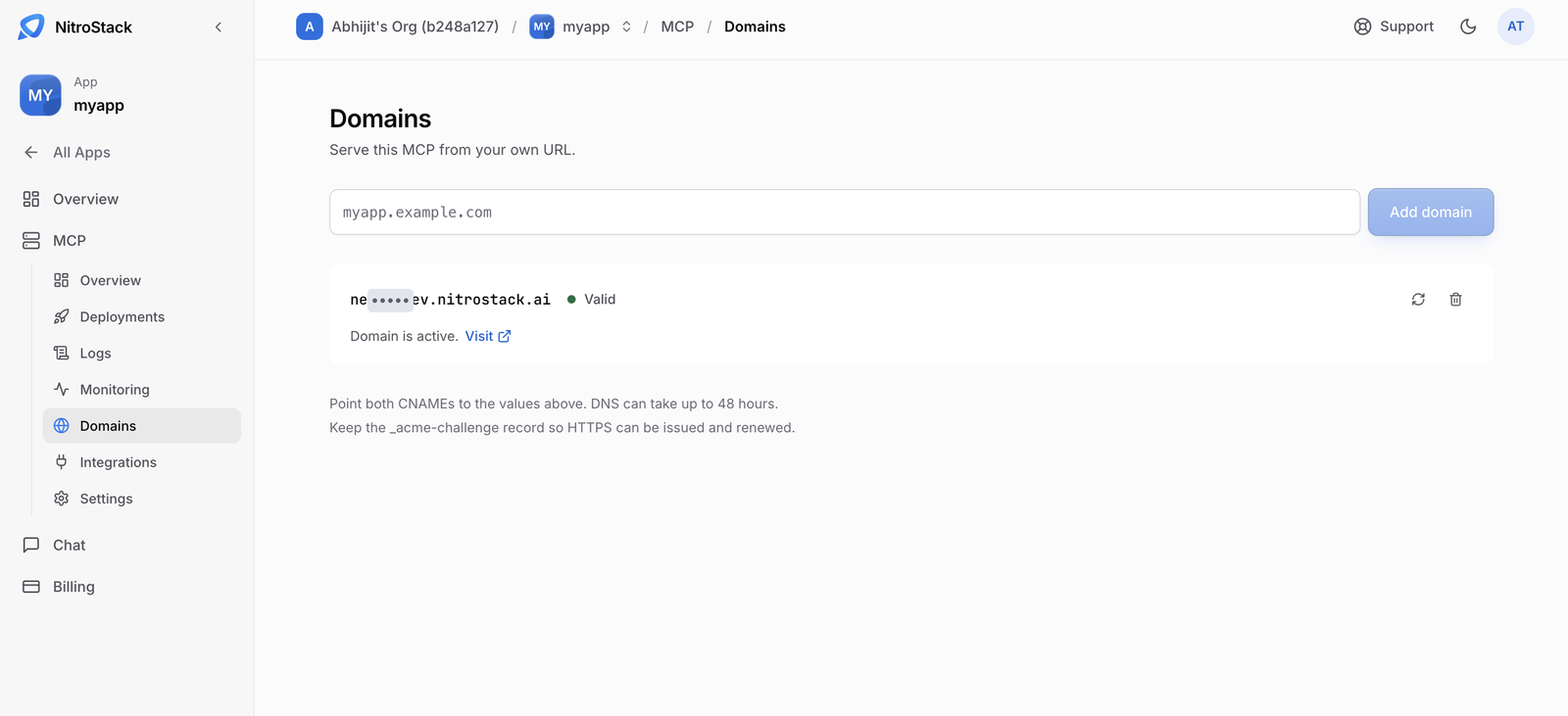
Add a domain
Enter the hostname
Open Domains in the MCP menu and enter the hostname, such as mcp.example.com, then click Add domain.
Use a subdomain. A root domain such as example.com only works if your DNS host supports a CNAME-style record at the root.
Add the CNAME record
The new row shows the target NitroCloud wants your hostname to point at. At your DNS host, create this record:
| Type | Name | Value |
|---|---|---|
CNAME | The hostname you entered | The target shown on the row |
If the row also shows an _acme-challenge CNAME, add that record too. It lets NitroCloud prove you own the hostname so it can issue the certificate.
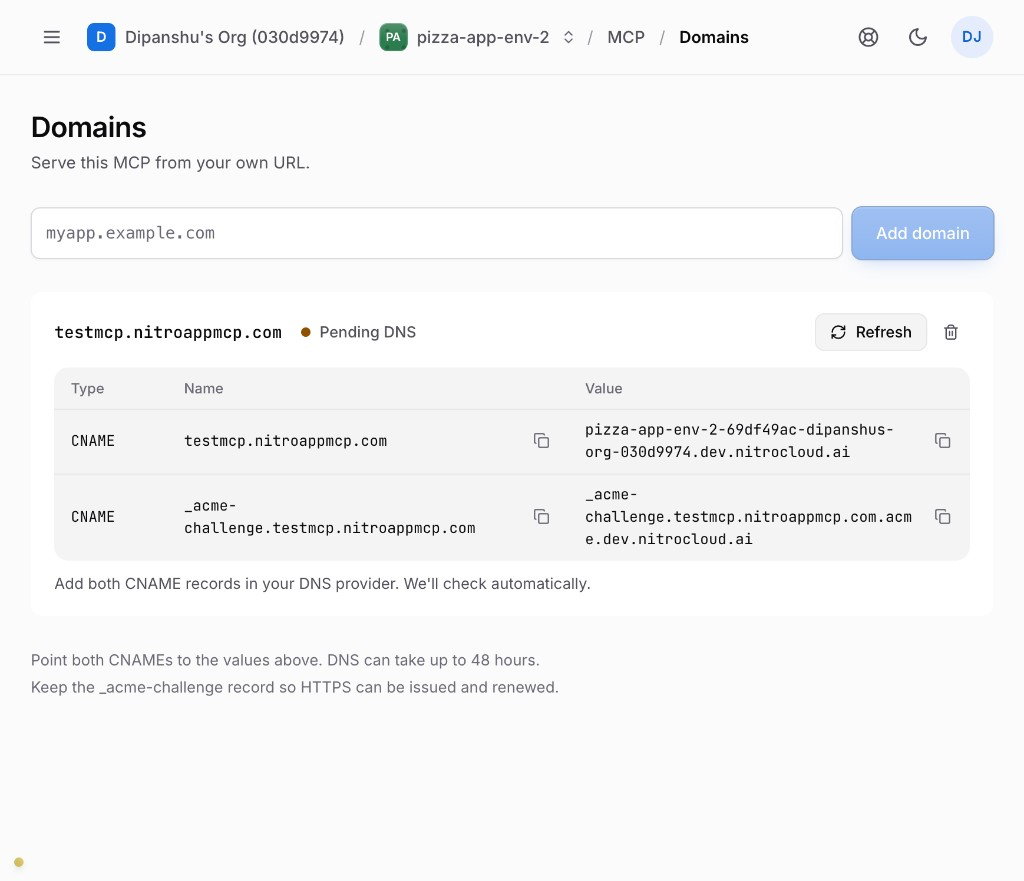
Wait for Valid
NitroCloud checks the record on its own, or you can click verify on the row. DNS changes can take up to 48 hours to be seen everywhere, though most are much quicker.
Domain status
| Status | What it means | What to do |
|---|---|---|
| Pending DNS | The CNAME is missing, or not visible yet. | Check the record at your DNS host, then wait or verify again. |
| Verifying | The record was found, and the certificate is being issued. | Nothing; it moves on by itself. |
| Valid | HTTPS is on, and the hostname serves this server. | Point your clients at the new hostname. |
| Error | The record doesn't match the target. | Fix the CNAME and verify again. |
The default nitrocloud.ai URL keeps working after the custom domain is valid, so clients that already use it don't break.
Remove a domain
Remove a domain from its row. The hostname stops serving your server; the deployment itself isn't affected.