
Health
Your server's health checks and protocol details, at a glance.
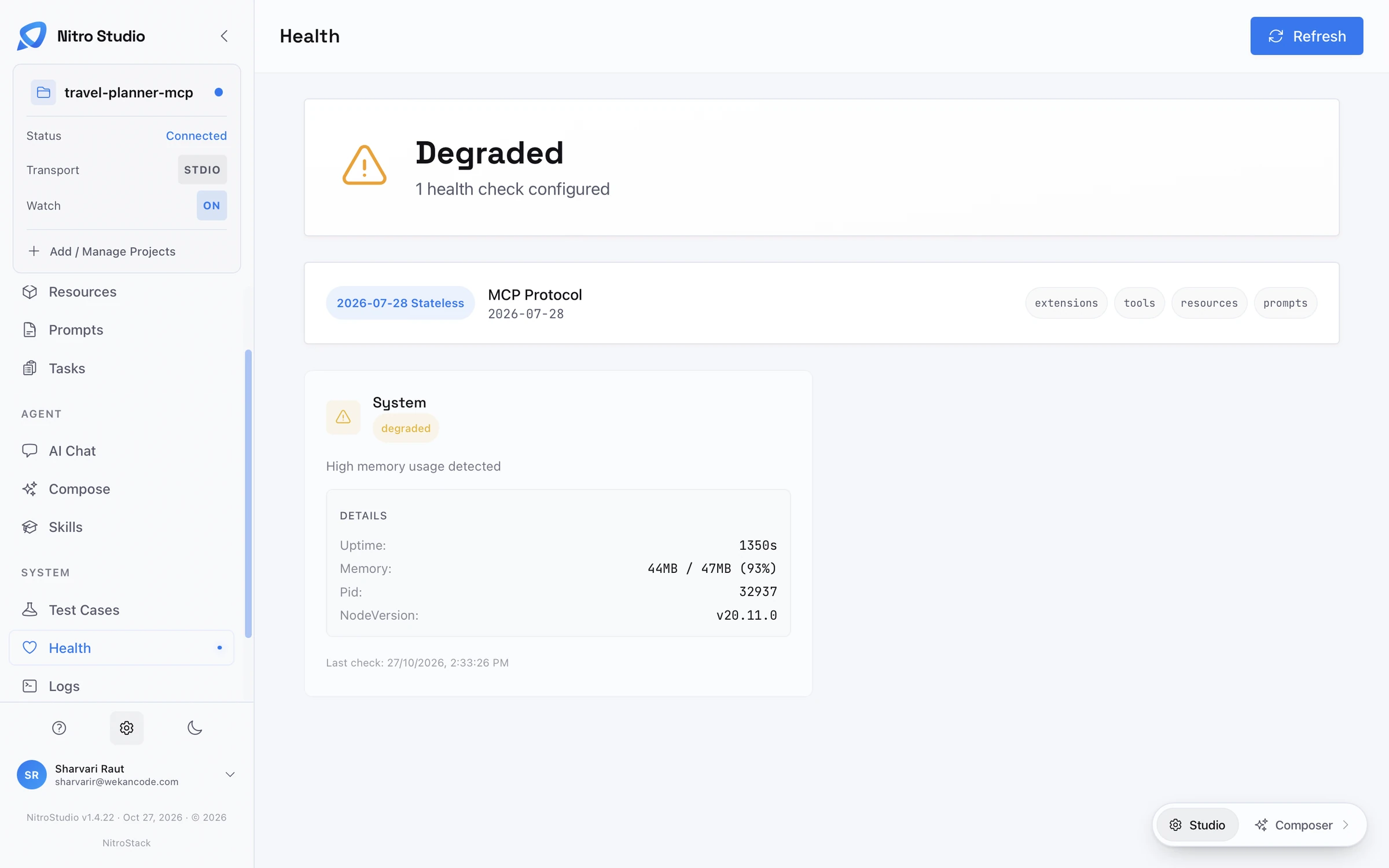
The Health page shows whether your server, and everything it depends on, is working. It reads the health checks defined in your code and shows each one as a card, with an overall status at the top.
Overall status
The banner at the top combines every check into one status, Healthy, Degraded, or Unhealthy, and says how many checks are configured. One failing check is enough to change it.
Protocol
The next card shows the MCP protocol revision the server speaks, such as 2026-07-28 Stateless, and the capabilities it advertises: tools, resources, prompts, and extensions. If a client can't see something you expect, check that its capability is listed here.
Checks
Each check has its own card with its name, its status, a short message, and the details it reports. The built-in system check, for example, reports uptime, memory use, the process ID, and the Node.js version, and flags high memory use. Your own checks can report anything useful, such as database latency or the status of an external API.
Refresh runs every check again. The time of the last run is shown on each card.
The same data is available to any client as the health://checks resource.