
Resources
Read any resource your server exposes and copy its contents.
Resources are data your server makes available for a client to read, such as a document, a configuration, or a widget's HTML. The Resources page lists them all and shows what each one returns when it's read.
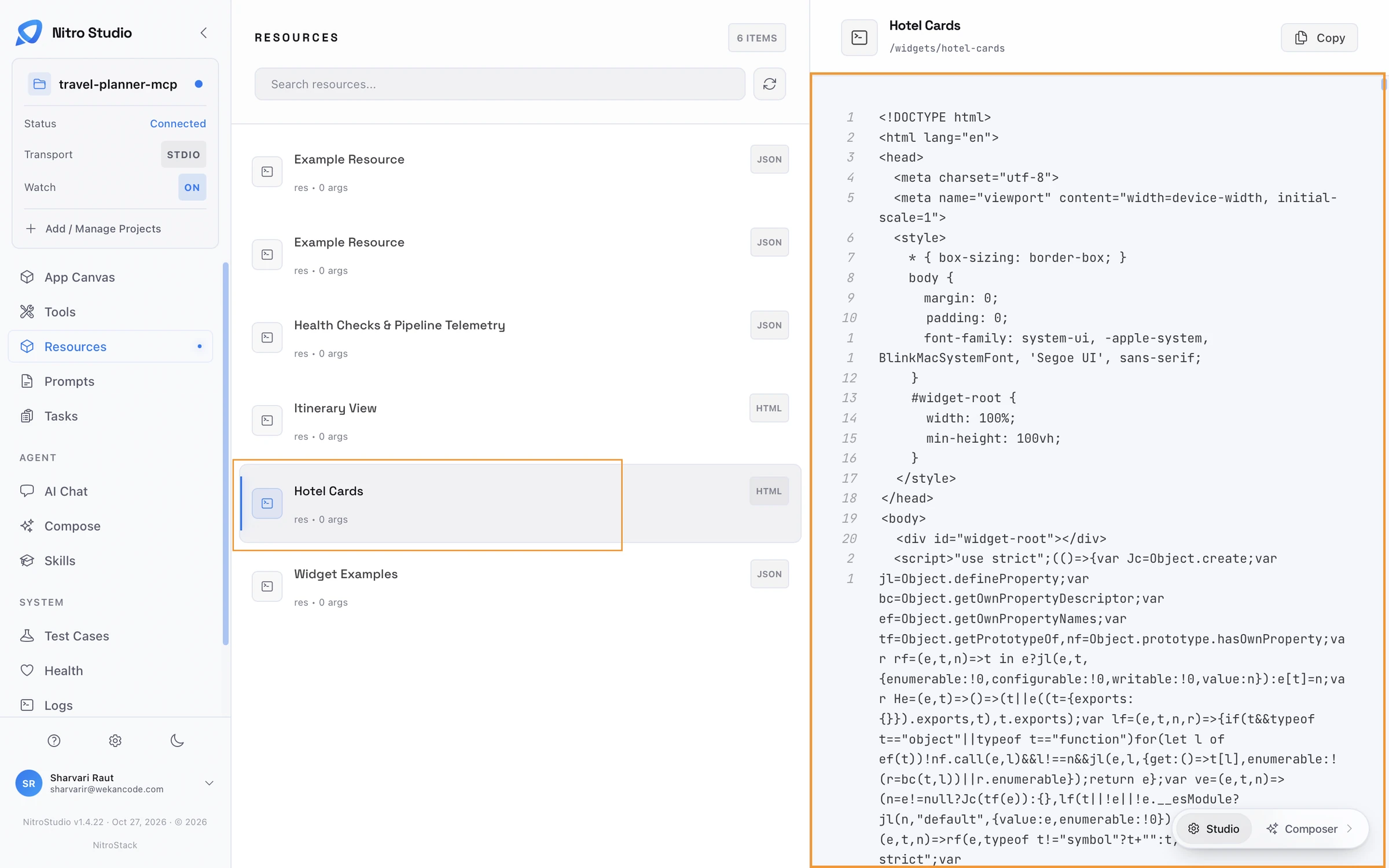
Browse
Each row shows the resource's name, the number of arguments it takes, and its content type: JSON, HTML, or another format. Search filters the list by name, and refresh reloads it after a change. HTML resources are usually widgets; their URIs start with /widgets/.
Read
Select a resource to read it. The content appears on the right with line numbers, and Copy puts it on your clipboard. The URI is shown under the name, so you can check the exact address a client would request.
Built-in resources
Every NitroStack server registers two resources of its own, and they're useful while you develop.
Health Checks & Pipeline Telemetry (health://checks) returns the overall status, each health check with its details, the active transforms, and the state of data spillover. The Health page shows the same information as cards.
Widget Examples (widget://examples) returns every widget's sample data. See Define widget examples.